
Barriers to Vitality: Deconstructing the Accessibility Failures of Health-Centric Social Networks
Accessibility Testing of a Healthy Lifestyles Social Network
The paper evaluates the digital accessibility of "Webstar," a social network dedicated to healthy lifestyles, using a multi-tool validation approach. By employing Wave Toolbar, HTML Validator, and WCAG Contrast Checker, the study identifies critical non-compliance with WCAG 2.0 standards, suggesting significant barriers for users with disabilities.
TL;DR
As the global population ages, the intersection of digital health and accessibility becomes a critical frontier. This paper audits "Webstar," a healthy lifestyle social network, and finds it fundamentally broken for disabled users. With over 1,700 coding errors and a total lack of support for screen readers, the study serves as a wake-up call for developers to prioritize WCAG 2.0 compliance before a significant portion of their audience is left behind.
Problem & Motivation: The Marginalized 15%
The digital divide is often discussed in terms of infrastructure, but for the 10-15% of the population living with disabilities, the divide is architectural. The authors highlight a demographic shift: by 2040, nearly 15% of Europeans will be over 75, a group likely to face impairments. Despite this, most software companies view accessibility as a niche concern rather than a mainstream requirement.
The core inquiry is simple: Can a platform designed to promote "health and vitality" actually serve those who need it most if its interface is a barrier?
Methodology - The Multi-Layered Audit
The researchers didn't rely on a single metric. They applied a rigorous, tripartite validation strategy:
- Syntactic Validation: Using the HTML Validator to check for standard-compliant coding.
- Structural & Visual Audit: Utilizing the Wave Toolbar and Web Developer Toolbar to identify missing alternative (ALT) texts, broken event handlers, and non-dynamic screen management.
- Human Centricity: A mobile usability test on Android and a questionnaire involving 47 users to measure "perceived" ease of use.
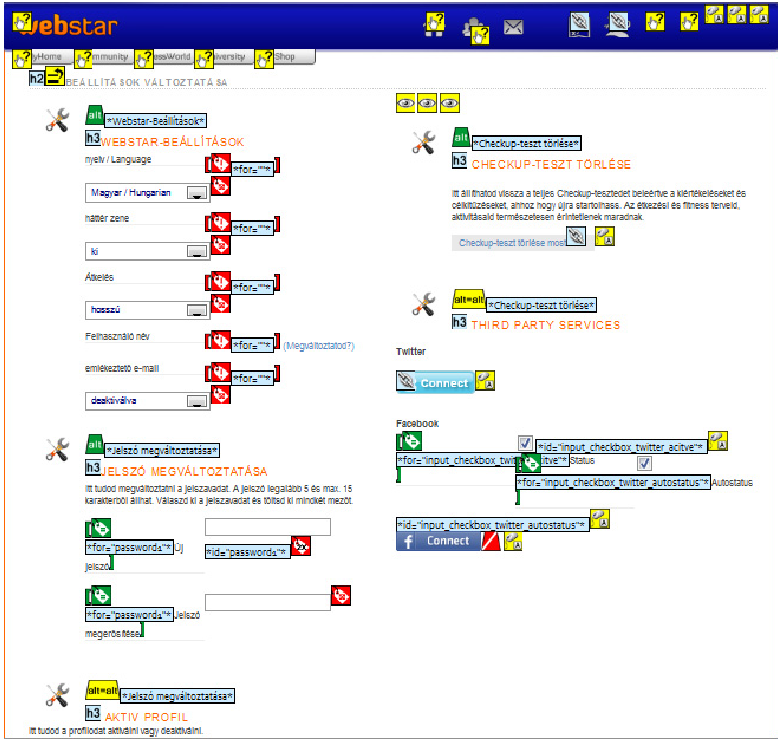 Figure 1: Example of error icons identified during the Wave validation process, highlighting link and event handler failures.
Critical Findings: A "Barrier-Rich" Environment
The results were damning. The "Webstar" portal showed a complete disregard for the Inductive Bias of accessible design:
- Automation Nightmare: The HTML Validator found 1,709 errors. These weren't just stylistic; they included unclosed tags and undefined variables that cause screen readers to crash or misinterpret content.
- Invisible Content: Wave Toolbar flagged 121 critical errors, specifically citing "link errors" where buttons like "click here" provided zero context for visually impaired users.
- The Mobile Lag: Testing on Android showed that while 70% of functions were present, the "Mission Vitality" goal was undermined by 5-minute loading times and a lack of font scaling possibilities.
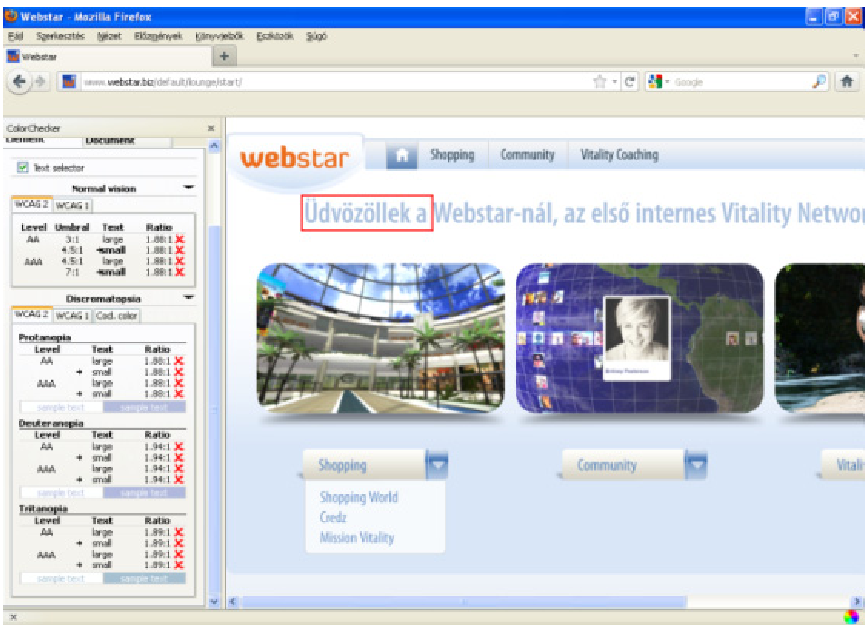 Figure 2: User interface evaluation on mobile, demonstrating the disconnect between the platform's health goals and its technical execution.
The Human Element: High Frustration, Low Navigation
The human validation results mirrored the technical findings. Users rated "finding daily exercises" at a measly 2.44/5. The "Orientation for new users" received the worst assessment, proving that complex, non-standard layouts act as a cognitive tax on the user.
Critical Analysis & Conclusion
Takeaway
The paper proves that a website isn't "functional" just because it works for a healthy 25-year-old on a high-speed desktop. Accessibility is a binary state in the eyes of the law and the user: if a blind user cannot register, the site is 100% broken for them, regardless of how "satisfactory" the color contrast is.
Limitations
The study was conducted in 2011, focusing on WCAG 2.0. Modern standards (WCAG 2.1/2.2) now include more rigorous requirements for mobile gestures and cognitive disabilities which "Webstar" would likely fail even more spectacularly today. Additionally, the sample size for human testing (47) is a good start but lacks a diverse representation of specific disability types (e.g., motor-impaired vs. low-vision).
Future Outlook
The authors suggest that developers must move accessibility from the "margin to the mainstream." In the age of AI, there is no excuse for missing ALT texts or improper HTML nesting. Future research should explore how Auto-Remediation layers can sit on top of legacy social networks to bridge this gap instantly.