
AKBB: Orchestrating Adaptive Interfaces for Intelligent Tutoring
Automatic adaptation of user interfaces for computerized educational systems
The paper introduces the Adaptive Knowledge Base Builder (AKBB), an authoring shell for Intelligent Tutoring Systems (ITS) that utilizes an automatic adaptation mechanism. It dynamically switches between command, graphical, and mixed interfaces based on real-time user modeling of experience and cognitive traits.
TL;DR
This research tackles a long-standing "Achilles heel" in computerized education: the static user interface. By introducing the Adaptive Knowledge Base Builder (AKBB), the authors demonstrate an authoring shell that dynamically reshapes its own UI—switching between Command-line and Graphical interfaces—based on a real-time assessment of a user’s expertise and cognitive spatial ability.
Background & Positioning
In the evolution of educational technology, Intelligent Tutoring Systems (ITS) have long aimed to mimic human tutors. However, while the content became smarter, the communication channel (the UI) remained rigid. This paper positions itself as a bridge between Human-Computer Interaction (HCI) and AI-driven education, moving away from "one-size-fits-all" shells toward a system that grows with the teacher.
The Problem: The Usability Bottleneck
Most authoring shells—tools used by teachers to build educational content—ignore the individual differences of the teachers themselves.
- Novices are overwhelmed by command-line syntax.
- Experts are frustrated by the slow pace of nested menus and graphical wizards.
- The Gap: Traditional HCI methodologies (like the "star" life cycle) focus on functional requirements but fail to capture the dynamic data needed for runtime adaptation.
Methodology: The Core Architecture
The authors utilize a reference architecture for adaptive systems composed of three pillars:
- System Model: Defines the "what" of adaptation. It maps logical functions (e.g., "Add Node") to physical actions across three UI styles.
- User Model: The brain of the adaptation. It tracks Experience Profile (command knowledge, usage frequency), Cognitive Level (spatial ability), and Personal Profile (error rates).
- Interaction Model: This is where the magic happens. Using an inference engine, the system applies Adaptivity Rules to decide whether to upgrade or downgrade the interface complexity.
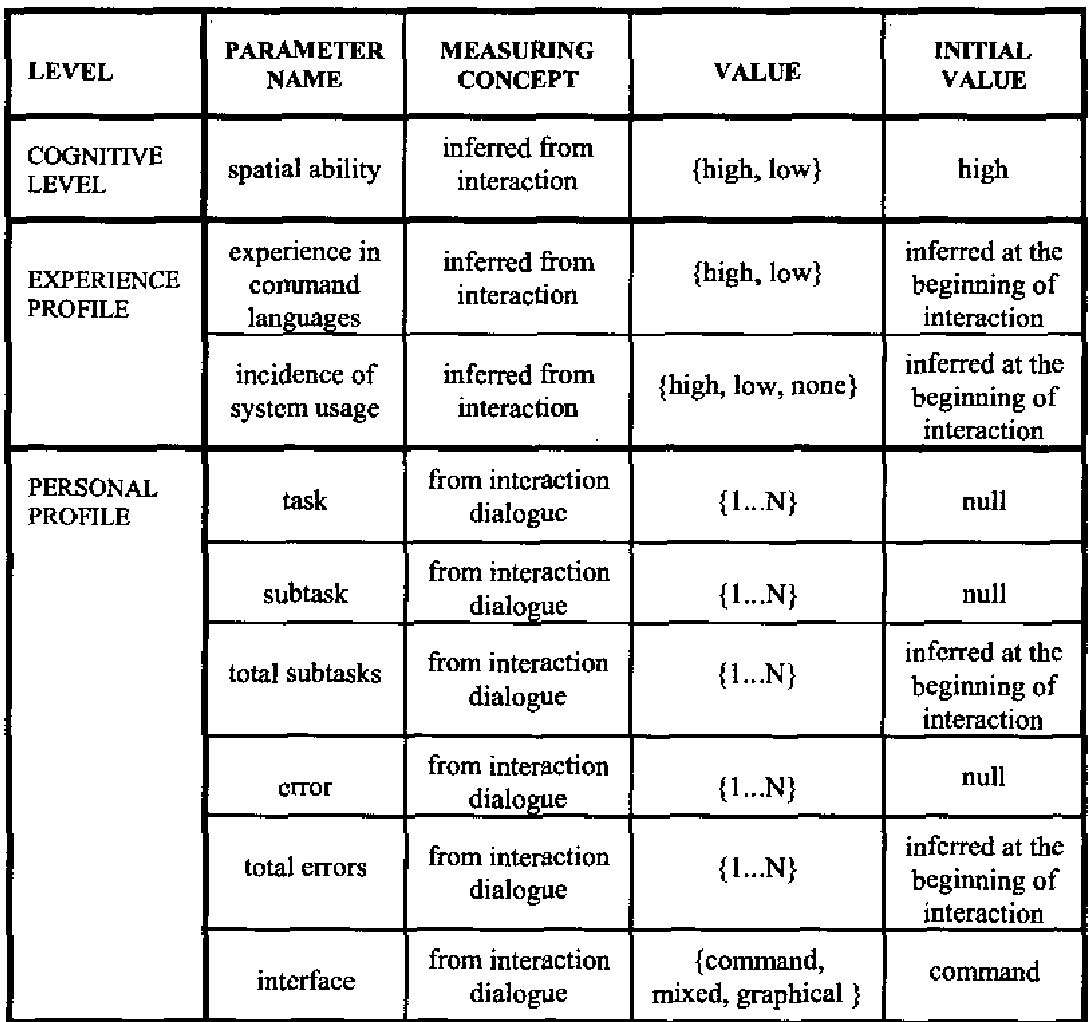 Table: The User Model parameters used to trigger interface adaptation.
The "Rules of Change"
The system operates on logic such as:
- IF Spatial Ability is high AND Experience is high THEN move from Graphical to Mixed/Command interface (Successor).
- IF Error rates are high AND Experience is low THEN revert to a simpler interface (Predecessor).
Interface Evolution: From GUI to CLI
The output of the AKBB's intelligence is the seamless transition between three distinct interaction styles:
- Graphical Interface: Menus and mouse-driven actions (Ideal for beginners).
- Command Interface: Efficient, syntax-based input (Ideal for power users).
- Mixed Interface: A hybrid allowing both styles.
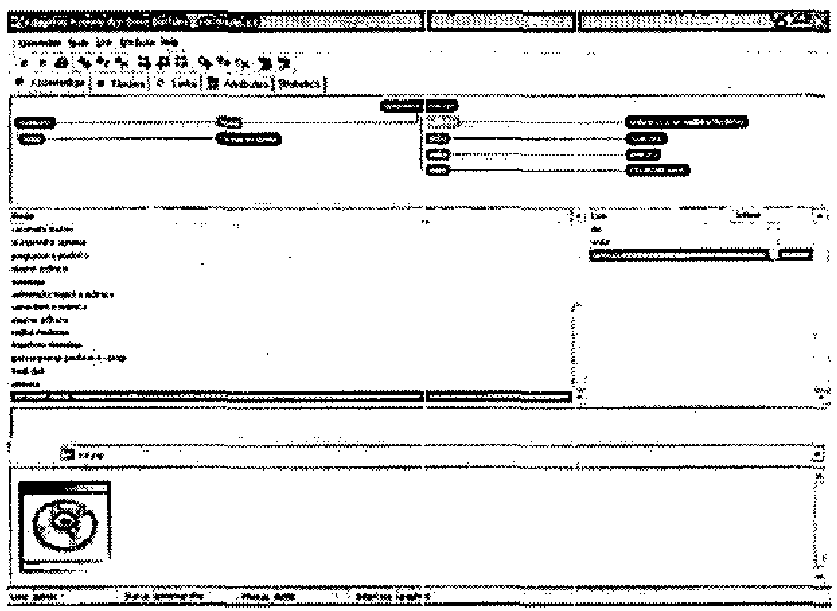 Visualizing the Graphical vs. Mixed interface transformation.
Critical Analysis & Future Outlook
The strength of this work lies in its holistic view of the user. By including "Spatial Ability," the authors recognize that UI preference isn't just about experience; it's about how the human brain processes information.
Limitations: As a rule-based system, its scalability is limited. Writing 36+ rules for even minor UI changes is labor-intensive. In the modern era, these "rules" would likely be replaced by machine learning models (Reinforcement Learning) that optimize for user satisfaction metrics automatically.
Takeaway: The AKBB project reminds us that the best educational software is a "chameleon"—it should be invisible to the expert and a guided hand for the novice. As we move toward Generative AI interfaces, the core principles of the interaction model defined here remain more relevant than ever.