
Designing Beyond the Digital Native: Lessons from "Software for Senior Citizens"
Software for senior citizens: An experiential learning course in gerontology, software usability and digital literacy
This paper presents "Software for Senior Citizens," a multidisciplinary graduate course at Michigan Technological University that integrates Human-Computer Interaction (HCI), gerontology, and digital literacy. The curriculum combines theoretical study with weekly service-learning tutoring sessions to sensitize future software designers to the unique accessibility challenges faced by the elderly.
TL;DR
As the global population ages, the digital divide is no longer just a matter of access, but of usability. Researchers at Michigan Tech have piloted a graduate course that forces "digital native" engineers to abandon their assumptions by tutoring elderly citizens. Through direct engagement and empathy-building simulations, the course uncovers why current UI standards—like double scrollbars and hidden menus—are catastrophic for senior users.
Problem & Motivation: The Invisible Barrier
By 2050, over 20% of the US population will be over 65. Yet, software development remains dominated by a "digital native" bias. The authors argue that seniors face a unique form of "lag"—a lack of congruence between their environment (the paper-less world of tax returns and online banking) and their technical capabilities.
The motivation for this course is moral and practical: yesterday's engineering standards (like the mouse click) are being replaced by gestures that often leave seniors feeling "frozen" by information overload or fearful of "breaking the system."
Methodology: Building Empathy through Service
The course is not just a lecture series; it’s an experiential lab. It utilizes a two-pronged approach:
- Classroom Theory & Simulation: Students read gerontological literature and wear a "Third Age Suit"—a specialized outfit that restricts joint movement and obscures vision to simulate the physical toll of aging.
- Service Learning ("Online at the Library"): Students provide one-on-one tutoring. Here, they observe firsthand the "think aloud" process of seniors attempting to navigate Amazon or Facebook.
Architecture of the Interaction
The pedagogy focuses on identifying communication patterns between the tutor (student) and the student (elder). When a student explains a concept, they are forced to confront the "curse of knowledge"—the assumption that concepts like "the cloud" or "double-clicking" are innate.
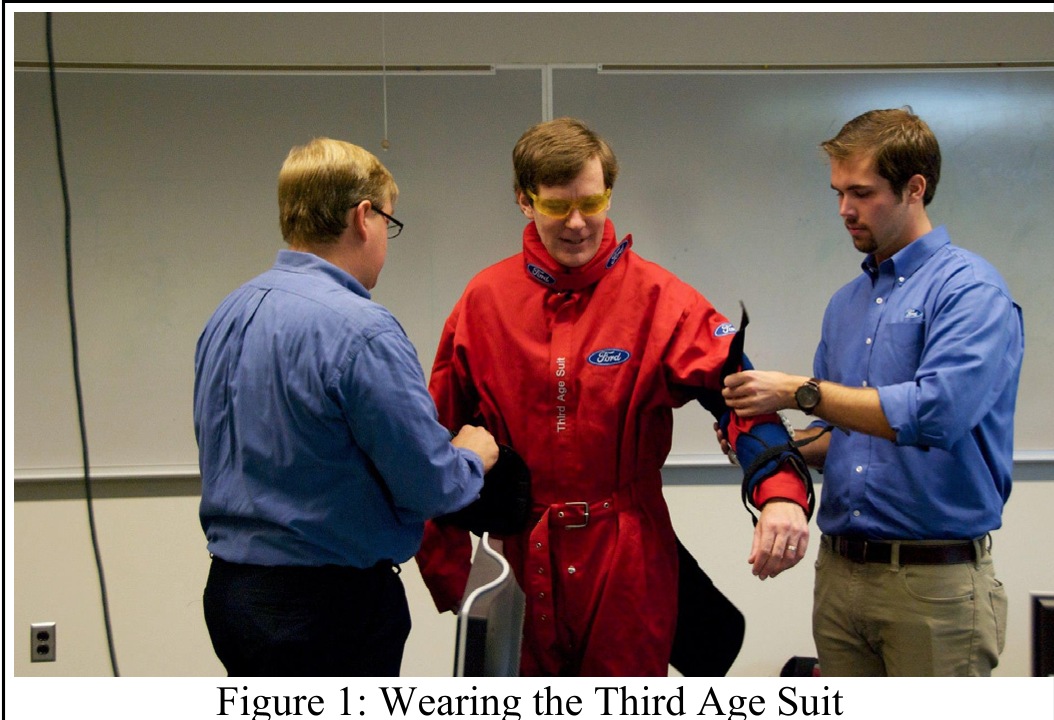 Figure 1: Students and seniors collaborating in an "Online at the Library" session.
Key Insights: Why "Simple" Interfaces Fail
Through their observations, the students identified three major technological friction points:
- The Double Scrollbar Trap: Modern web apps (like Gmail) often feature nested scrollable areas. For a senior user, losing the "Send" button because it scrolled out of view in a secondary window is "ridiculously confusing."
- The "Mouse-Over" Affordance: Designers increasingly hide buttons until a user hovers over them. If a senior doesn't know to "explore" the screen with the mouse, they perceive the interface as non-functional.
- Hidden Networking Hardware: Physical switches on laptops that toggle Wi-Fi are often invisible to those not trained to look for them, leading to total "technological isolation."
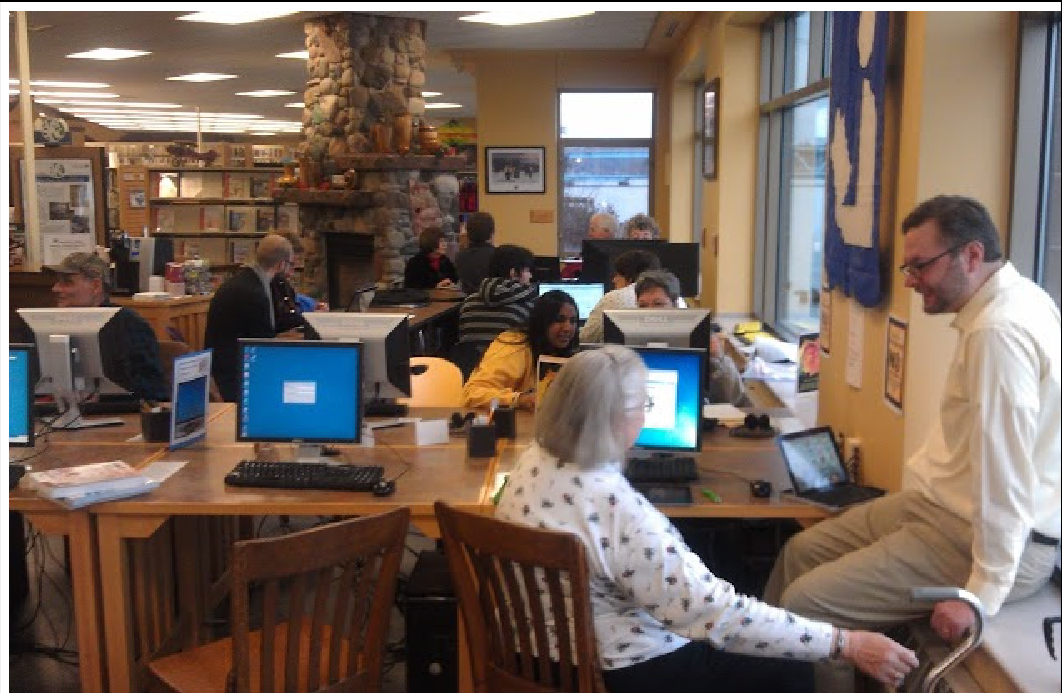 Figure 2: Classroom discussion analyzing the "Double Scrollbar" UX failure.
Research Results: Are Tablets a Silver Bullet?
One of the course’s primary research questions was whether touch-based tablets (iPads) solve the complexity of the PC.
- The Success: Tablets eliminate the confusion of window management and hierarchical file systems.
- The Failure: They introduce new, non-standard barriers. Senior users struggled with "double-tapping" and "tap-and-hold" (long press). Most were unable to perform basic functions like "copy-and-paste" because the gestural language was never explicitly taught.
 Figure 3: Seniors and students marching to raise awareness about digital literacy.
Conclusion and Future Outlook
The "Software for Senior Citizens" course proves that usability is a social science as much as a technical one. The study concludes that:
- Anxiety Stifles Exploration: Seniors don't "play" with software because they fear data loss or privacy breaches.
- Abstraction is Hard: The shift to "the cloud" makes it difficult for elders to form a mental model of where their data actually lives.
The authors plan to expand this into an interdisciplinary program involving Technical Communication and Cognitive Science, emphasizing that the future of the "inclusive web" depends on designers who have sat side-by-side with an elder, watching them struggle to find a "Play" button that only appears on hover.